


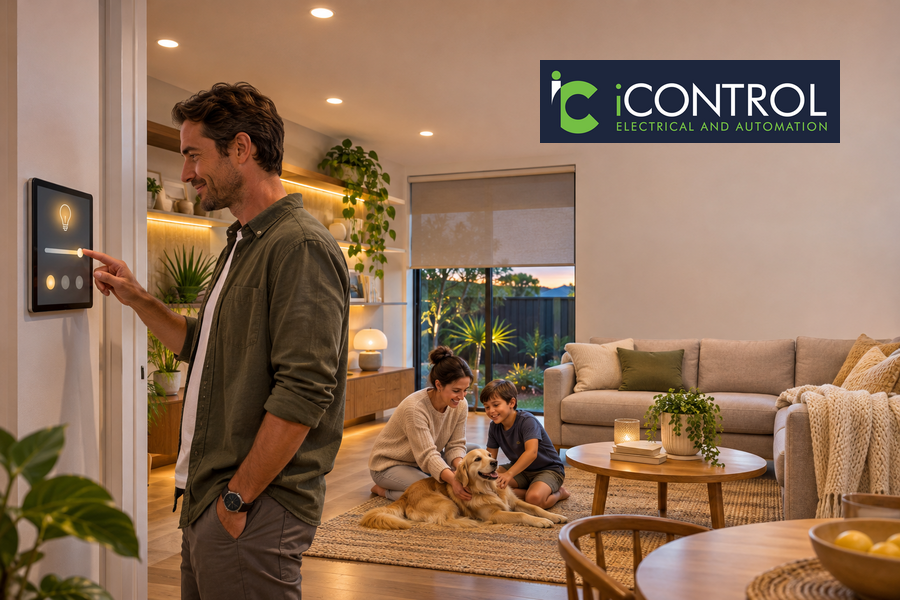
Imagine adjusting your lights, controlling appliances and managing home security from your phone or with a simple voice command. Smart home automation makes these everyday tasks easier by connecting compatible devices through a central system.
If you are considering home automation in Sydney for the first time, understanding the available options can help you make practical choices without investing in features you may not need.
What Is Smart Home Automation?
Smart home automation connects household devices and electrical systems so they can be monitored, controlled or programmed to work together. Instead of operating every device separately, you can manage selected functions through a smartphone app, voice assistant, remote control or central control panel.
A smart home system can include lighting, security cameras, alarms, appliances and other connected equipment. Some systems also allow you to create automated routines based on a schedule, sensor activity or a specific command.
For example, you could set your living room lights to dim when you select movie mode or create a routine that switches off selected lights before bedtime.
The main purpose is to make everyday home management more convenient while improving control over selected household functions.
Essential Smart Home Features for Beginners
You do not need to automate every room or electrical device when setting up your first system. Starting with a few useful features makes it easier to understand the technology and decide what to add later.
Here are some popular options to consider.
1. Smart Lighting
Smart lighting lets you control compatible lights using an app, voice command or automated schedule. You can switch lights on or off, adjust brightness and create different settings for various activities.
For example, you might prefer brighter lighting when preparing meals and softer illumination in the evening. Some systems also allow lights to operate automatically at selected times.
This is often a practical starting point for homeowners exploring smart home automation in Sydney.
2. Voice Control
Voice assistants such as Google Home, Amazon Alexa and Apple Siri can make controlling connected devices easier. Instead of opening an app or using several switches, you can give a simple verbal command.
Depending on the system and device compatibility, you may be able to:
Switch the lights on or off.
Adjust compatible smart devices.
Activate selected scenes.
Control supported household equipment.
Manage multiple connected functions through one command.
Before purchasing equipment, check that the chosen devices work with your preferred voice assistant.
3. Smart Security Cameras and Alarms
Smart security equipment helps homeowners monitor selected areas of their property. Depending on the products installed, features may include live camera viewing, motion alerts, remote monitoring and alarm notifications.
You may be able to check camera footage through a smartphone when away from home. Some systems can also send notifications when movement is detected.
For a more organised setup, consider how cameras, alarms and other security devices can work together rather than choosing each product independently.
4. Smart Plugs and Appliances
Smart plugs allow compatible electrical devices to be controlled remotely or through scheduled routines. For example, you may be able to switch a connected lamp on or off using an app.
Some household appliances also offer built-in smart features, allowing users to monitor or manage selected functions through their manufacturer’s app.
Always check the manufacturer’s instructions and electrical requirements before connecting equipment. Smart plugs are not suitable for every appliance or electrical load.
5. Smart Scenes and Automated Routines
Scenes allow several compatible devices to respond to one command. Instead of adjusting each setting individually, you can activate a combination of functions at once.
Common examples include:
Movie Mode: Dim selected lights and adjust compatible entertainment equipment.
Dinner Mode: Set suitable lighting for the dining area.
Good Morning: Switch on selected lights at a scheduled time.
Away Mode: Turn off selected lights and activate compatible security features.
Bedtime Mode: Switch off selected lights and adjust other connected devices.
iControl Electrical and Automation offers smart scene selection, allowing homeowners to create settings for activities such as movie nights, parties and dinner time.
Choosing the Right Smart Home System
A smart home system should suit your property, daily routine and future plans. Before buying individual devices, consider how you want the technology to work as a complete setup.
Wired, Wireless and Hybrid Systems
Smart home technology is available in different configurations. The right option depends on your property, existing wiring, installation requirements and the level of automation you want.
| System Type | How It Works | Suitable For |
|---|---|---|
| Wired system | Uses physical cabling to connect compatible devices and control equipment | New builds, major renovations and planned integrated installations |
| Wireless system | Uses wireless communication technologies to connect compatible devices | Existing homes and smaller upgrades |
| Hybrid system | Combines wired and wireless components | Homes requiring a mix of established electrical infrastructure and flexible device placement |
Each configuration has different installation and maintenance considerations. A qualified home automation installer in Sydney can assess your property and recommend a suitable arrangement.
Check Device Compatibility
Compatibility is one of the most important considerations when choosing your first smart home system.
Not every connected product works with every platform. A device designed for one ecosystem may not integrate seamlessly with another. Before purchasing, check compatibility with your preferred app, voice assistant and other equipment.
If you plan to add more devices in the future, choosing a system that supports expansion can help avoid unnecessary replacements.
Consider Your Internet and Wi-Fi Requirements
Many smart home products rely on a stable internet connection or a reliable local network. Cameras, voice assistants and connected appliances may need consistent connectivity to perform their functions properly.
Before installation, consider:
The strength of your Wi-Fi signal in different rooms.
The number of devices connected to your network.
The location of your router.
Any areas with weak or inconsistent coverage.
The network requirements of your selected equipment.
Some systems can continue performing certain functions locally if the internet connection is interrupted, while remote access and cloud-based features may become unavailable. Ask your installer how the proposed setup will operate during an outage.
Plan for Future Upgrades
Your requirements may change as your household grows or your daily routines develop. You might begin with smart lighting and later add security cameras, automated scenes or other connected equipment.
Choosing a flexible smart home system can make future upgrades easier. Discuss your plans with the installer before the initial work begins so the system can be designed with suitable expansion options.
Benefits of Installing Home Automation
A well-planned automation setup can make household tasks easier and provide greater control over connected devices. Some of the main advantages include:
Greater Everyday Convenience
Control selected household functions through a smartphone, voice command or central interface. This reduces the need to operate several devices individually.
Improved Control Over Home Security
Compatible cameras and alarms can provide remote monitoring and notifications. This gives homeowners another way to keep track of selected areas of their property.
Personalised Home Settings
Scenes and schedules allow you to adjust lighting and other connected functions to suit different activities. You can create settings for mornings, evenings, entertainment and time away from home.
More Flexible Energy Management
Scheduling lights and controlling selected devices can help reduce unnecessary operation. Some smart systems also provide energy monitoring features, allowing homeowners to understand how connected equipment is being used.
Actual energy savings depend on the devices installed, household habits and how the system is configured.
What to Consider Before Installing Smart Home Automation in Sydney
Buying connected devices is only one part of creating a functional smart home. The installation should also account for your property’s electrical setup, network requirements and future needs.
Keep these considerations in mind before arranging an installation.
1. Identify Your Priorities
List the tasks you want to simplify. You may want better lighting control, easier security monitoring or the ability to manage selected appliances remotely. This helps you focus on features that provide practical value.
2. Set a Realistic Budget
The overall cost depends on the number of devices, system type, installation requirements and level of integration. You can begin with essential features and discuss future upgrades as part of the initial design.
3. Check Privacy and Security Settings
Connected devices may collect information or require access to your home network. Use strong passwords, enable available security features and keep device software updated. Check the manufacturer’s privacy policies and understand how recordings or personal information are stored.
4. Consider Your Property’s Electrical Setup
Some installations may require additional wiring, switchboard work or changes to existing electrical connections. New homes and renovation projects can offer more opportunities to plan the system during construction, while existing properties may need a different approach.
5. Choose a Qualified Installer
Electrical and automation work should be completed by appropriately qualified and licensed professionals. Look for an installer who understands the technology, explains the available options and can configure the system to suit your requirements.
Why Choose iControl Electrical and Automation for Smart Home Installation in Sydney?
Choosing an experienced installer can make the transition to a connected home easier, particularly if you are unfamiliar with automation technology.
iControl Electrical and Automation provides electrical and smart home installation services across Sydney. The family-owned business highlights its qualified, licensed and insured team, with services covering electrical work, smart home automation, solar installations and CCTV systems.
Its smart home solutions include voice control through Google Home, Alexa and Siri, along with scene selection for activities such as movie nights, parties and dinner time.
The team follows a straightforward process:
Initial Enquiry: Contact the team to discuss your requirements.
Consultation and Quote: Explain your needs and receive a free, no-obligation quote.
Booking: Arrange an installation time that suits your schedule.
Installation: Qualified electricians complete the agreed work.
Testing and Handover: The system is checked, and its operation is explained before completion.
Invoicing: Receive a clear invoice for the completed work.
For first-time buyers, having the system explained during handover is particularly useful. It helps you understand how to operate the connected devices and make the most of the features included in your installation.
If you are planning home automation in Sydney, contact iControl Electrical and Automation to discuss your requirements and request a free quote.
Final Thoughts
Smart home automation does not have to be complicated or involve a complete property upgrade. Starting with practical features such as smart lighting, voice control and security monitoring can help you understand the technology and decide what works best for your household.
Focus on compatibility, ease of use, network requirements and future upgrades before choosing a system. Working with a qualified smart home installer in Sydney can also help ensure the equipment is selected and configured to suit your property.
FAQs About Smart Home Automation
1. What is the best smart home system for beginners?
The best option is a system that is easy to operate, compatible with your preferred devices and suitable for your household needs. Starting with smart lighting and voice control can be a practical way to explore automation.
2. How much does smart home automation cost in Sydney?
The cost depends on the size of your property, the number of devices, system type and installation requirements. Requesting a quote after an assessment can help you understand the costs involved.
3. Can I install smart home automation in an existing house?
Yes. Many wireless and retrofit solutions can be installed in existing properties. The available options depend on the current electrical setup, network coverage and devices you want to connect.
4. Do I need Wi-Fi for a smart home system?
Many smart home devices use Wi-Fi or another network connection for communication and remote access. Some systems can perform selected functions locally, so the exact requirements depend on the equipment and setup.
5. Why should I hire a smart home installer in Sydney?
A qualified installer can assess your property, check device compatibility and plan the electrical and automation requirements. Professional installation also helps ensure the system is configured and tested correctly.